Recently I got introduced to VMware Infrastructure (aka vSphere) Java & I should say “VI Java is an incredible open source project I have ever come across”. I am really humbled with the impact that Steve Jin’s contribution to the VMware community. I am sure this open source project is asset for thousands of VMware customers & partners. In the purview of the same, VI Java project inspired me to add “vSphere API” section in my blog. Under this section you can expect small utilities to manage your VMware environment which will be useful specially to most of the VMware administrators. Here we go with first post under “vSphere API” section. I am going to share how I got started with VI Java application development. i.e. Step by step tutorial on getting started with vSphere API using Java.
Update: VI Java project has now YAVI JAVA, please start using this guide to get started with YAVI JAVA instead of below steps. Since it supports vSphere 5.5 as well as vSphere 6.0 SDK, it is recommended to use YAVI JAVA. All the automation written using VI JAVA will work fine on YAVI JAVA.
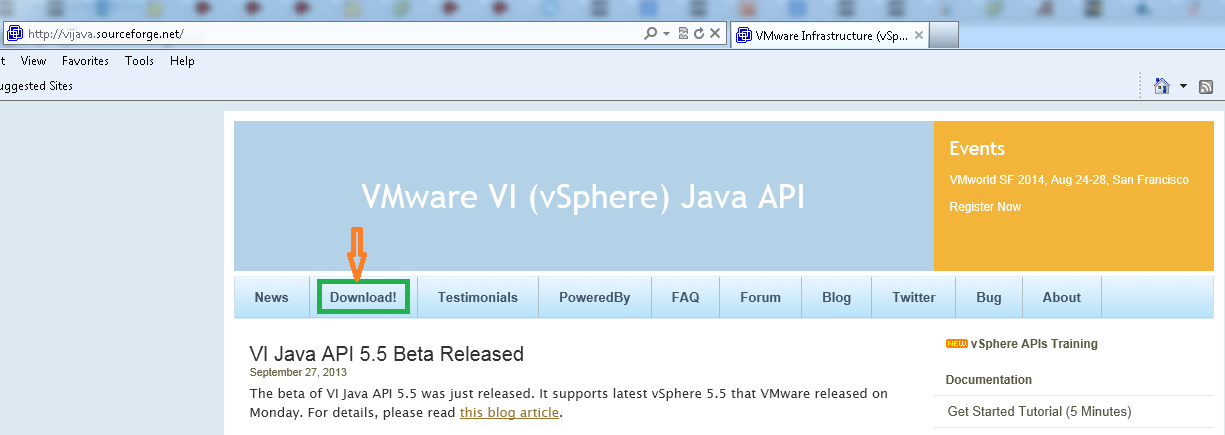
1. Goto VI java website Here. Click on “Download” tab on the top as shown in below screenshot.
2. Click on the latest release as shown below.
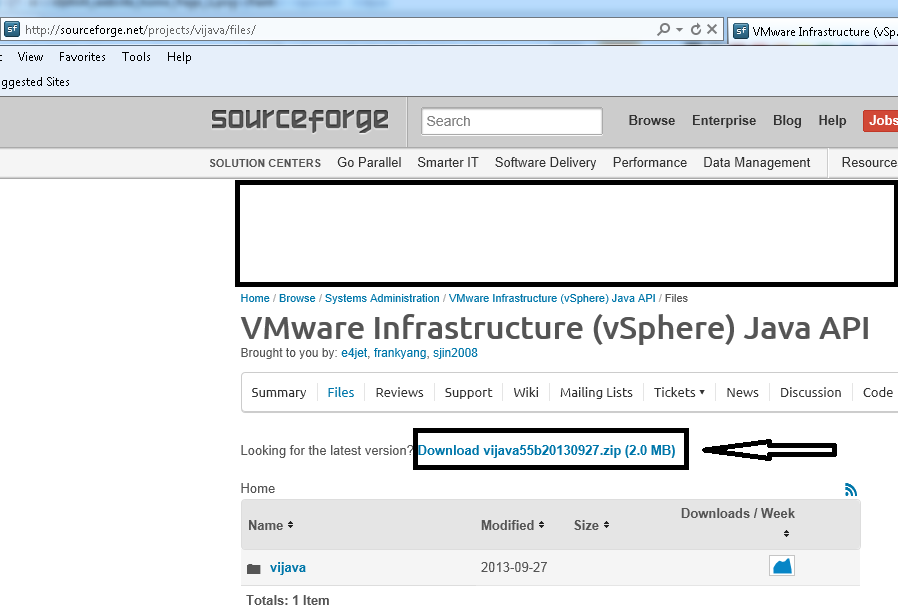 Note: For future releases Zip file name would be different. Just you need to download latest one
3. Extract the downloaded file at any location of your choice.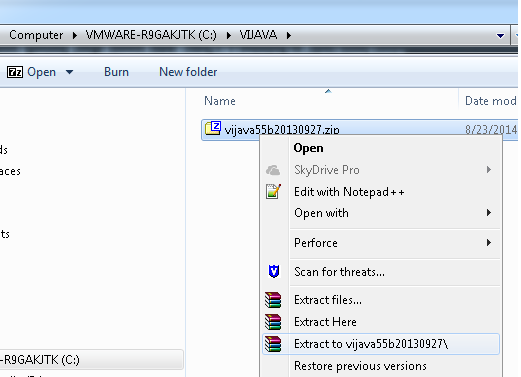
4. You should see below jar files inside extracted Zip file.

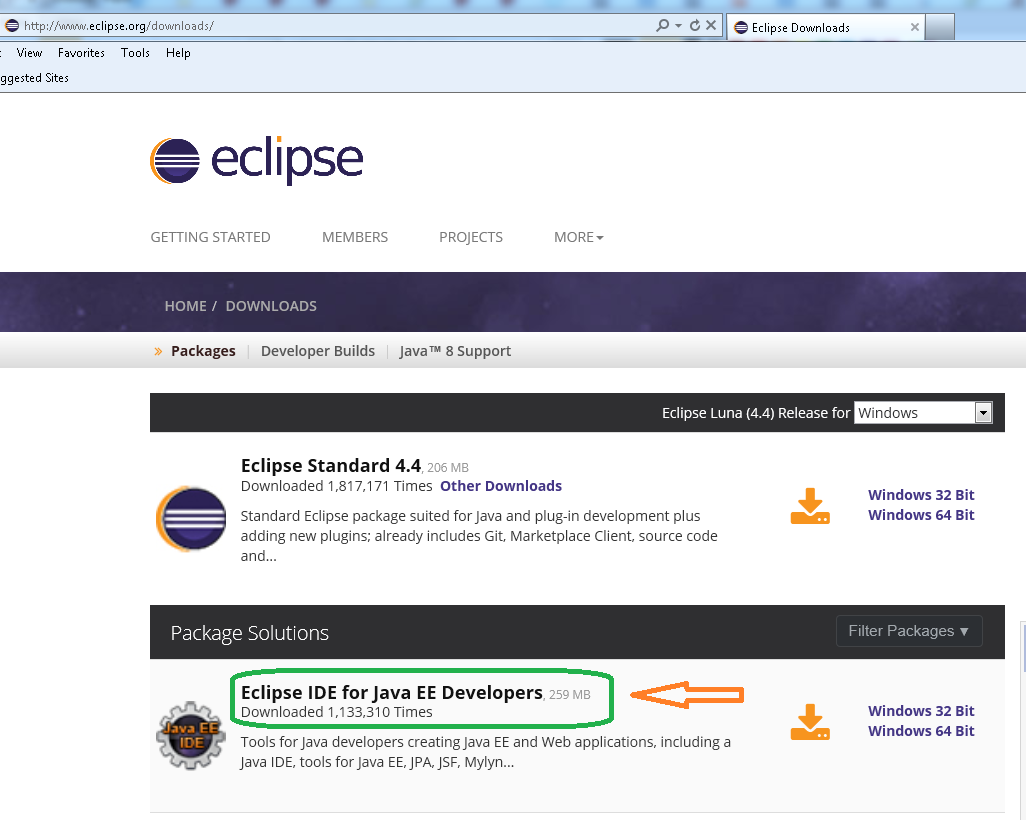
5. Now it is time to install Eclipse. Download eclipse from “https://www.eclipse.org/downloads” as shown below .Please make sure you have JDK/JRE 1.6 or higher
 6. Create java project as shown below .
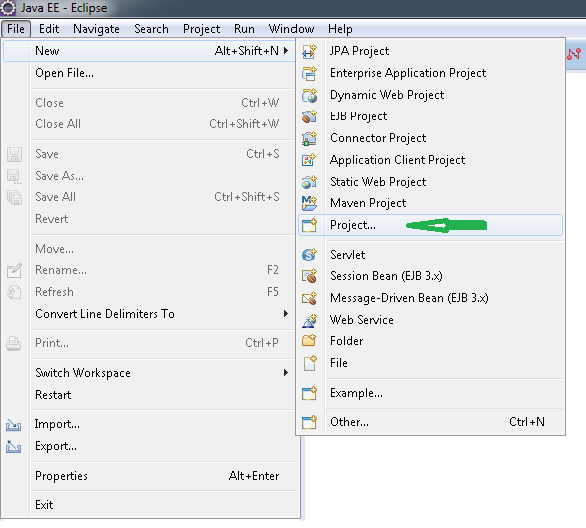
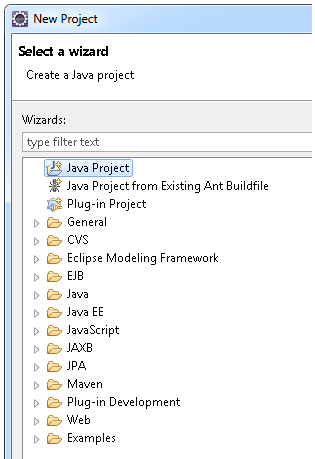
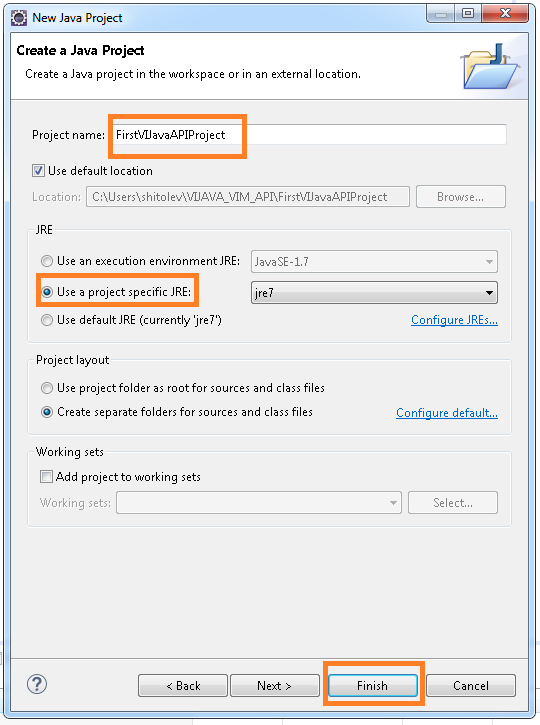
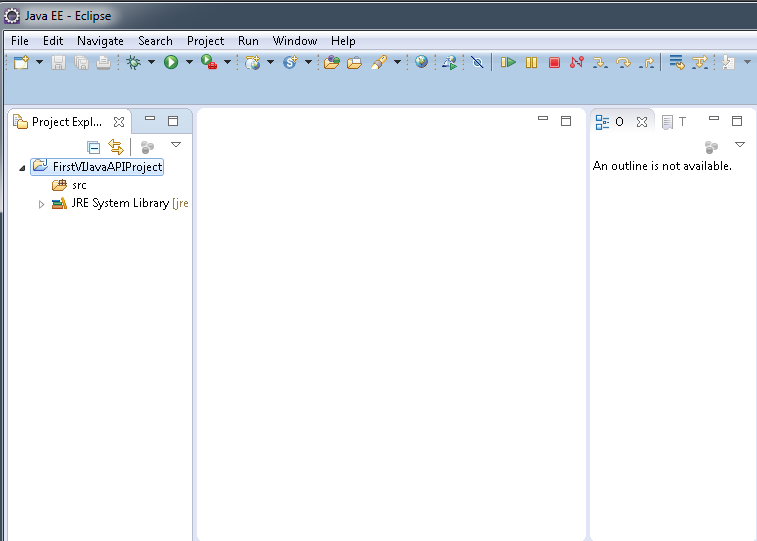
7. Configure the 2 jars files that were extracted above in step 5 as follows.
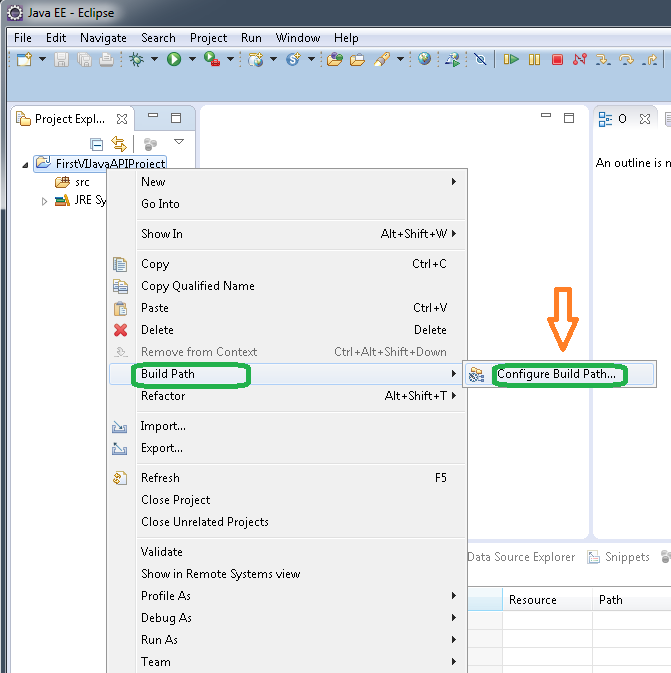
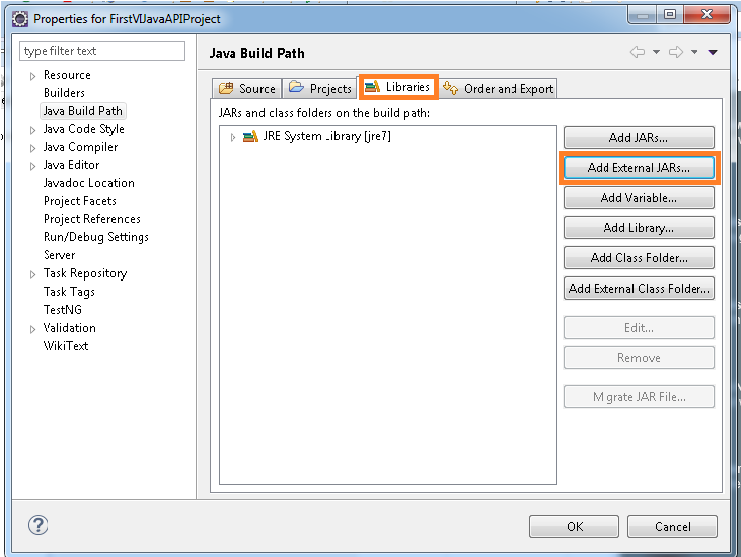
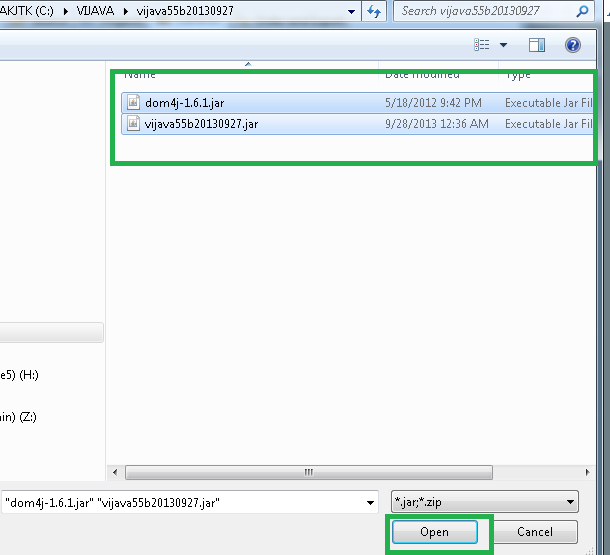
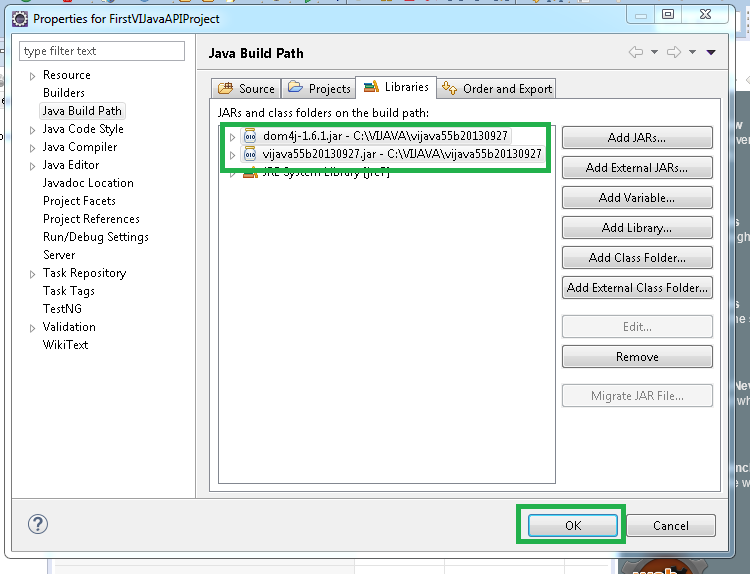
8. Create first java program “HelloVM.java” as follows: Download source code from here:HelloVM.java. (Source code originally written by Steve Jin). Add this source code in java class created below.
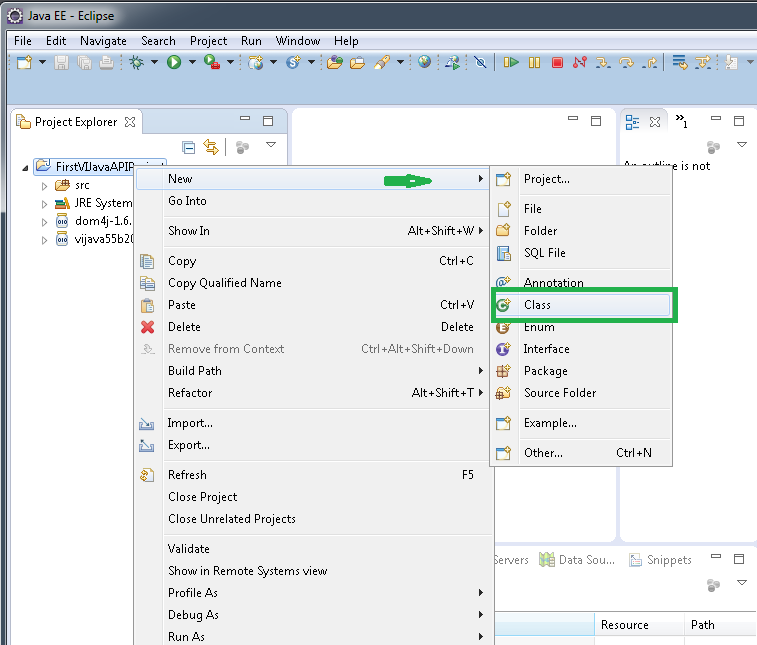
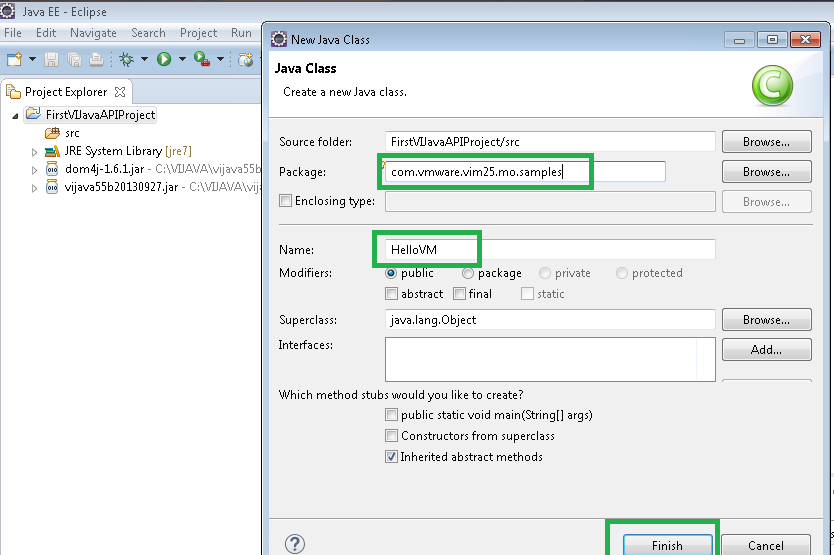
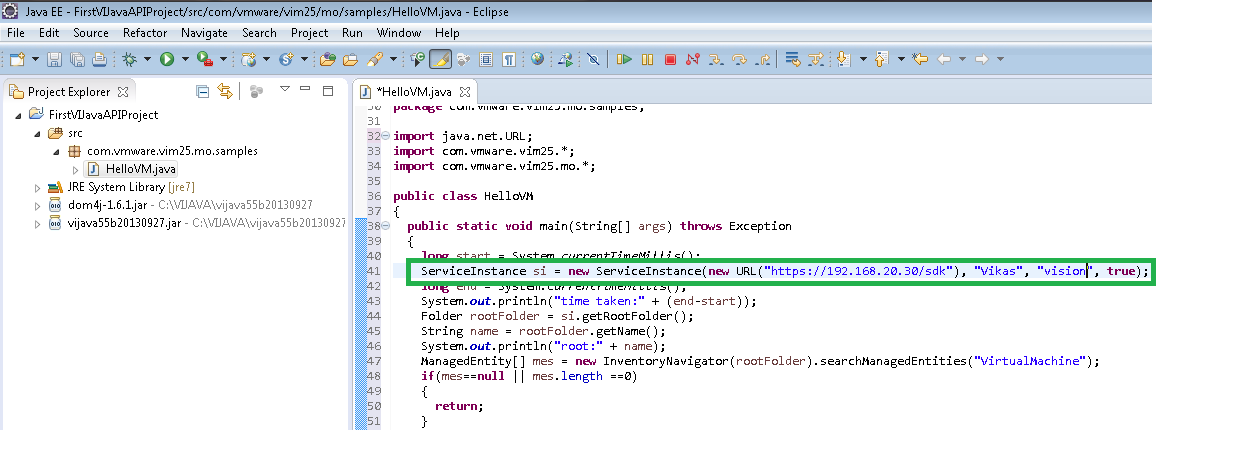
9. You need to modify source code with vCenter IP, vCenter username & vCenter password as shown in below screenshot.
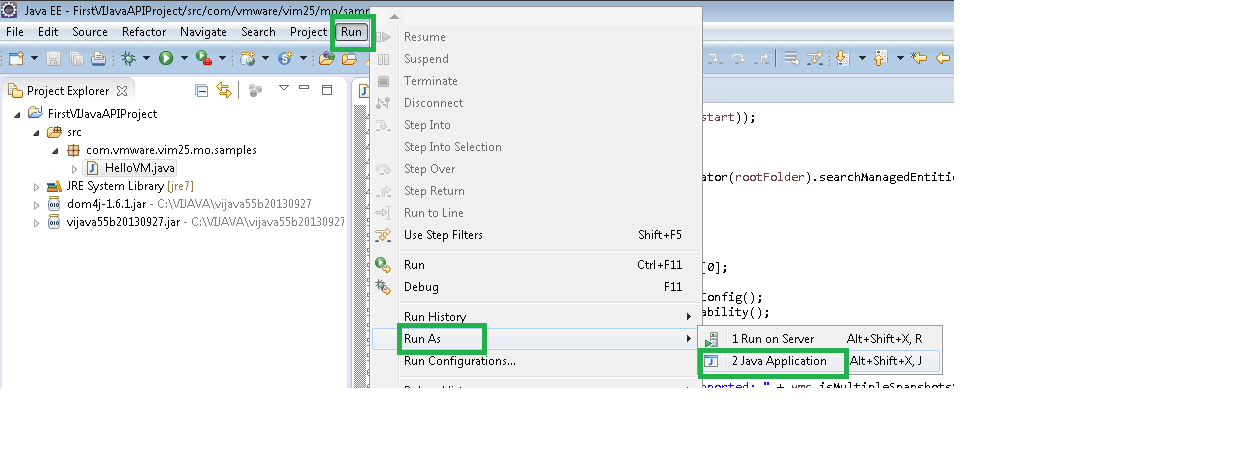
 10. Run your first VI Java program as follows.
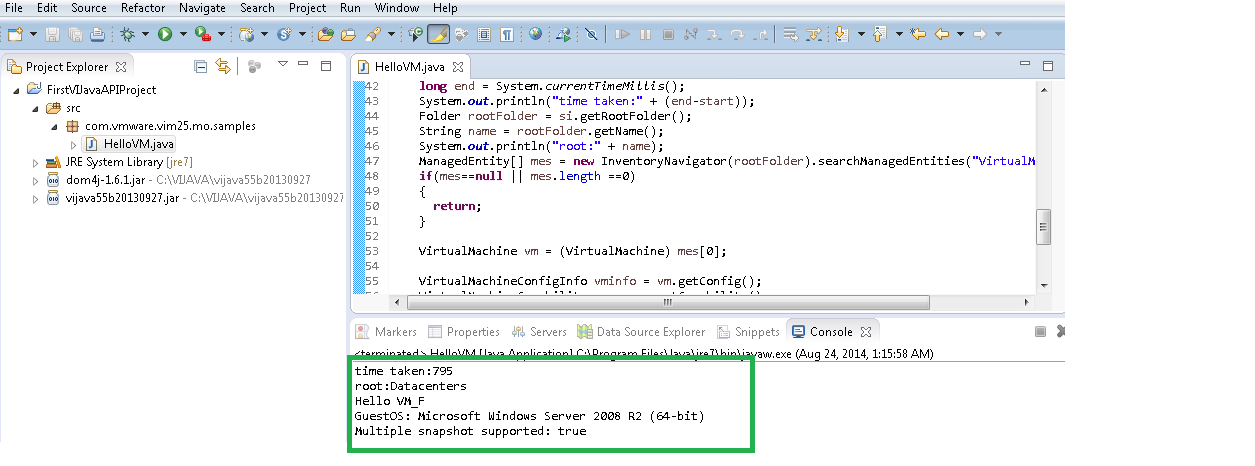
Great! Finally you got started with VI SDK and executed first VI SDK program. Stay tuned for more meaningful programs to manage your VMware environment.

Vikas Shitole is a Senior Tech Lead at VMware by Broadcom, VCF division, India, where he leads system test efforts—including scale, stress, and resiliency testing—and drives product quality across VMware Cloud Foundation (VCF), Broadcom’s flagship private cloud platform. He is an AI and Kubernetes enthusiast, and is passionate about VMware customers and automation around vSphere and VCF. Vikas has been honoured as a vExpert for 13 consecutive years (2014–2026) for his sustained technical contributions and community leadership. He is the author of two VMware Flings, holds multiple industry certifications including VCF admin 9.0, and is one of the top contributors to the VMware API Sample Exchange, where his automation scripts have been downloaded over 50,000 times. Vikas has shared his expertise as a speaker at international conferences such as VMworld Europe and VMworld USA, and was selected as an official VMworld 2018 blogger. He also served as lead technical reviewer for the Packt-published books vSphere Design and VMware Virtual SAN Essentials. Beyond tech, Vikas is a dedicated cricketer, cycling enthusiast, and a lifelong learner in fitness and nutrition, with the personal goal of completing an Ironman 70.3