Category Archives: VCF certifications

A curated collection of resources to help you prepare for VMware Cloud Foundation (VCF) certifications — including preparation guides, learning resources, certification experiences, and AI-assisted study tools.

VCF100: Can We Help 100 Community Members Get VCF Certified?

In an AI era where answers are available in seconds, why spend weeks preparing for a certification?

I believe the answer is context.

AI is getting better at an incredible pace. At the same time, the technology landscape we work with is becoming broader and changing faster.

That creates an interesting challenge for us as engineers: how do we build our own technical context just as deliberately and efficiently?

AI can certainly help us learn faster. But having access to answers is not the same as having the context to understand them, connect technologies, challenge what AI gives us and make the right engineering decisions.

We need ways to make our learning broader, faster and structured.

For me, certification is one such mechanism. It gives us a defined scope, forces us to explore areas beyond our day-to-day work, and gives that learning a measurable goal.

I started writing certifications when I started with VMware as an intern and continued throughout my career across vSphere, VMC, Kubernetes and VCF technologies.

Even after working directly on these technologies for many years, preparing for an exam still does something valuable:

It exposes gaps in what I thought I already knew.

That learning — not just the certificate — is why certifications have remained relevant to me.

I have shared more about this separately in Why I Write Certification Exams in the AI Era.

Why VCF100?

With VCF 9.0, we are looking at a re-architected, more unified private cloud platform. It is an important opportunity for those of us in the VMware community to step beyond our immediate areas of expertise and build a broader & deeper understanding of the private cloud platform.

I started closer to home by encouraging engineers within my organization to take up VCF certifications.

Along the way, I shared my certification experience, created a VCF 9.x Administrator Preparation Guide, conducted a preparation walkthrough, and started experimenting with how AI can accelerate preparation without bypassing the underlying learning.

As engineers started taking up the journey and becoming certified, I began thinking:

Why limit this to our internal community?

I have been part of the vExpert community for 13 years and have had the opportunity to learn and contribute through blogging, VMUG, VMware Explore and many community interactions.

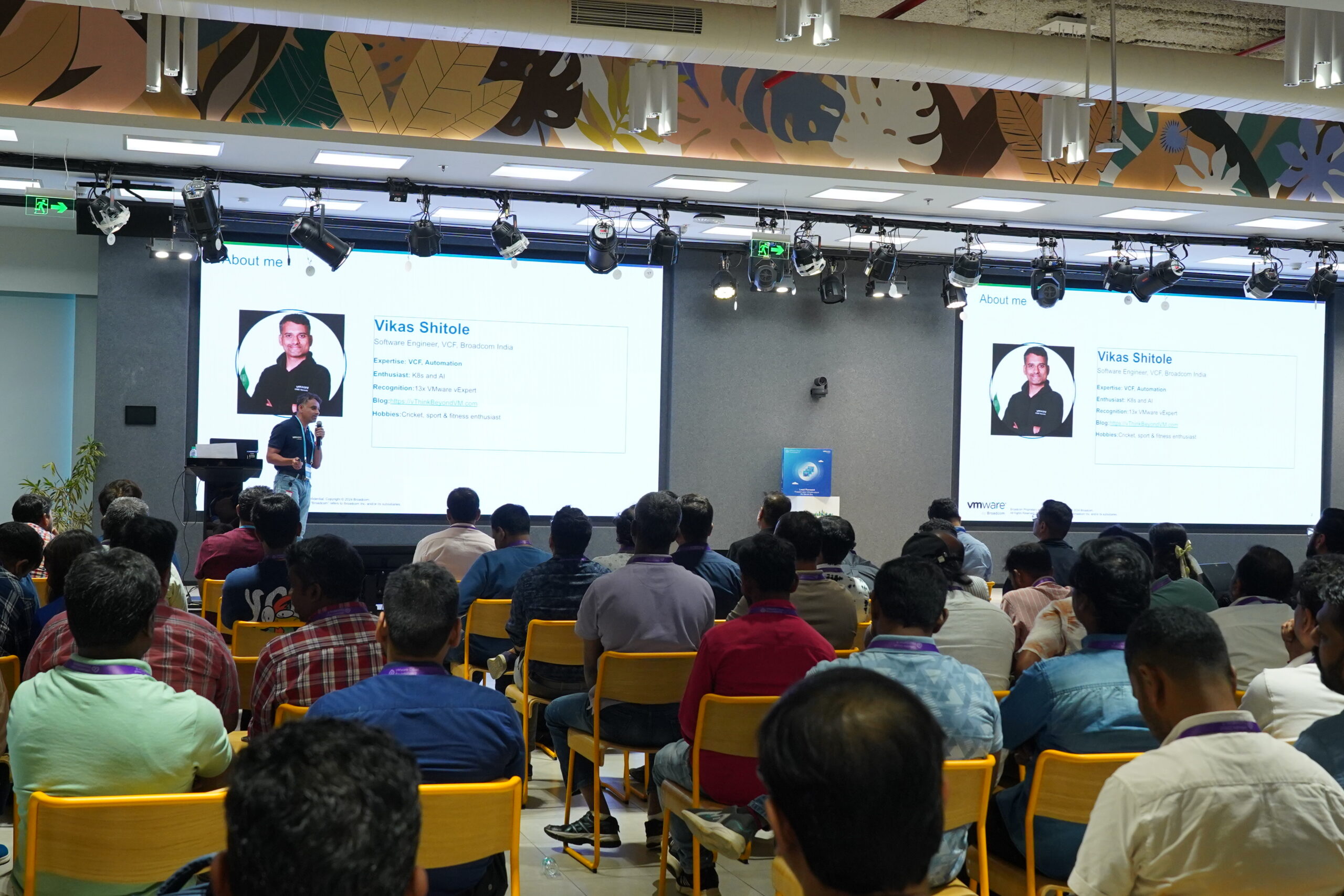
Recently, while sharing my certification journey at VMUG Bengaluru, a simple idea came to mind:

Can we help 100 community members become VCF certified?

That is VCF100.
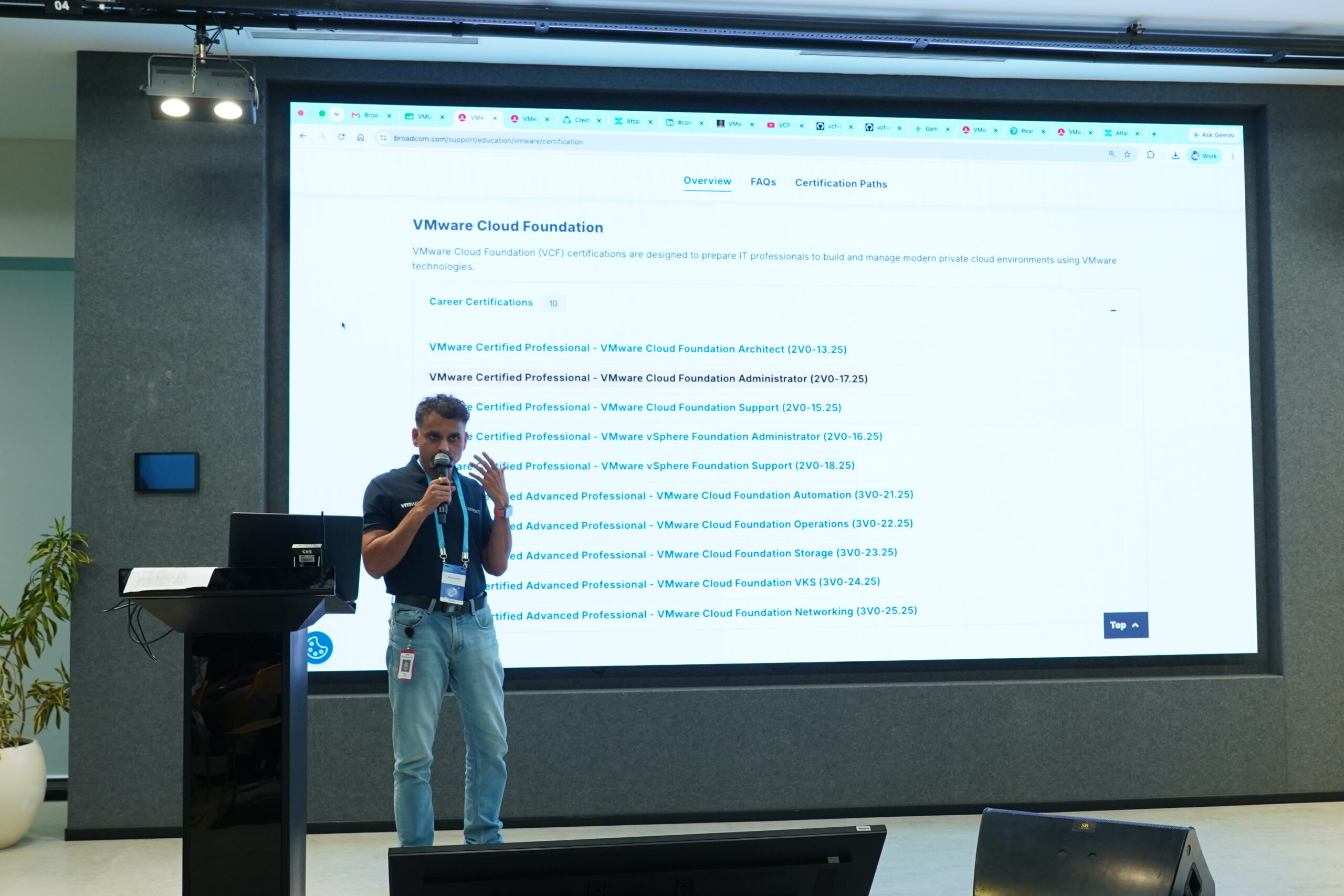
One certification doesn’t have to be the end

VCF100 isn’t about one particular exam.

Someone may start with VCF Administrator to build a broad foundation and then choose the next step based on their role and interests.

Interested in Kubernetes? VKS could be the next step.

Working more deeply with automation? Explore VCF Automation.

Others may choose networking, operations or another VCF specialization.

There is no single path everyone needs to follow.

Start where you are. Build the foundation. Then create your own path.

How does VCF100 work?

The idea is simple:

Learn → Get Certified → Go Deeper → Share → Help the Next Person

I have started consolidating the resources I create and use under the VCF Certifications section of this blog, including preparation guides, walkthroughs and certification experiences.

Over time, as more people take different certification paths, I hope we can contribute back what we learn and make the journey easier for the next person.

This is not about shortcuts to passing an exam.

Use AI. Use documentation. Use courses. Use community knowledge. But use the certification journey to actually learn the technology.

Who is part of VCF100?

If this initiative, its resources, a VMUG session or someone in the community helps or motivates you — and you achieve a VCF certification — you are part of VCF100.

Already certified?

Don’t stop because you already have the badge.

Choose the next certification that makes sense for your journey — and help someone else start theirs.

Share your experience. Answer a question. Contribute a useful resource. Present what you learned. Or simply encourage someone who has been postponing that exam.

Got VCF Certified?

If #VCF100, one of these resources, a VMUG session, or someone in the community helped or motivated you on your VCF certification journey, we’d love to hear about it.

Share your achievement on LinkedIn with #VCF100 or let us know through this short form.

And once you’re certified — help the next person

Why 100?

I have always liked the number 100.

100 runs in cricket. 100 km on a cycle. A 100-day meditation streak. There is something about reaching 100 that makes a challenge feel meaningful. 🙂

So when I thought about setting a first milestone for this initiative, 100 felt natural.

But the real opportunity is bigger than the number.

If 100 people build stronger VCF knowledge, some go deeper into their areas of interest, and they start helping others learn, the impact can go well beyond 100.

So, where are you today?

Thinking about your first VCF certification? Start.

Already preparing? Keep going.

Already certified? Choose your next path.

Already experienced? Help someone else.

100 people. Learn. Certify. Go deeper. Give back.

Can we get there? Let’s find out. #VCF100

VCF100 is a community-led learning initiative and is not an official VMware by Broadcom initiative or certification program

Have a question, feedback, or want to contribute to #VCF100? please feel free to DM me on LinkedIn

VMware Cloud Foundation 9.0 Administrator (2V0-17.25) Certification Preparation Guide

Target Audience: VMware by Broadcom Community
Last Updated: February 2026

Why Write Certification Exams?

Yes, being certified and earning the badge is one of the drivers. However, what truly matters is what we do between deciding to write the exam and actually attempting it.

Use exams as motivation for your learning journey, not just to pass. The preparation journey should be the focus.

Read more:
Why I write certification exams – LinkedIn post (including AI aligned perspective)

Key Benefits

  • Exam objectives help streamline and direct learning
  • Forces hands-on practice with real scenarios
  • Builds comprehensive understanding of the product
  • Creates a structured learning path with clear goals
  • Certifications count as contributions to vExpert applications, which can potentially get you VMUG Advantage membership

Preparation Timeline

Plan for 8–12 weeks of solid hands-on preparation for best results.
Depending on how much time you dedicate, it can be done in a couple of weeks as well.


Getting Exam Vouchers & Discounts

VMUG Advantage Program

VMUG Advantage membership provides significant benefits:

  • $125 USD off VMware certifications

Learn more:
https://www.vmug.com/membership/membership-benefits/

Cost: $210 USD/year

VMware vExpert Program

If you are a VMware vExpert, you automatically receive:

  • VMUG Advantage membership (complimentary) – includes $125 USD off certifications
  • 50% off certification exams

Learn more:
https://vexpert.vmware.com/

Important: Certifications are considered as contributions to vExpert applications and may help you earn vExpert status.

Note: VMUG and vExpert discounts are subject to current terms and conditions.

Other Opportunities for Free Vouchers

  • Local VMUG events – Some events may provide free VCF certification vouchers
  • VMware Explore – Attendees may receive free certification vouchers
  • Broadcom employees – Internal prep guide available with free voucher process (contact Vikas Shitole)

Scheduling Your Exam

⚠️ Important: Use a personal laptop for scheduling and exam.
Corporate laptops may fail due to firewall restrictions.

Step 1: Login to Certification Portal

Step 2: Schedule Exam

  • From dashboard → Click Schedule Your Exam
  • Click SSO to VUE
  • Redirects to Pearson VUE

Step 3: Select Exam

  • Search for “VMware exams” or click VMware Professional Level Exams
  • Choose your exam
    Example: 2V0-17.25 – VMware Cloud Foundation 9.0 Administrator

Step 4: Choose Exam Format

  • OnVUE Online – Take exam from home (Recommended)
  • In-Person – Pearson VUE testing center

Step 5: Select Date & Time

  • Accept terms and conditions
  • Select language: English
  • Time zone auto-detected
  • Choose date and time slot

Recommendation: Early morning slot (5 AM) — quiet and distraction-free.

Step 6: Payment & Voucher

  • Enter your voucher number at checkout
  • Voucher may waive entire amount or provide discount

Exam Day Checklist

Before Exam Day

  • Test your laptop using the system test link (10–15 min)
  • Use personal laptop
  • Copy exam email links to personal device
  • Prepare distraction-free room
  • Keep government-issued ID ready

On Exam Day

  • Check-in link works only 30 minutes before exam
  • Keep ID ready for verification
  • Take webcam photos (face, sides, ID)
  • Ensure no one else is in the room
  • Close all other applications

Environment Requirements

  • Quiet, private room
  • Clean desk (no papers, books, phones)
  • Good lighting
  • Stable WiFi (exclusive connection preferred)

VCF Administrator Exam (2V0-17.25) core guidelines

Exam Details

DetailInformation
Exam ID2V0-17.25
NameVMware Cloud Foundation 9.0 Administrator
Questions60 multiple choice (many multi-answer, scenario-based)
Time135 minutes
Passing Score300/500 (scaled)
Official Pagehttps://www.broadcom.com/support/education/vmware/certification/vcp-vcf-administrator

Official Courses

VMware courses are NOT mandatory unlike in the past, but helpful for structured learning.

Broadcom provides complimentary access to VCF digital training libraries for eligible customers and partners.

Broadcom Learning Portal:
https://www.broadcom.com/support/education/vmware


Course 1: VMware Cloud Foundation – Build, Manage and Secure [V9.0] ⭐ Recommended

DetailInformation
Course IDVCFBMS9
Duration~24 hours (self-paced)
AccessSearch “VCFBMS9” on Broadcom Learning Portal

Includes:

  • Video lectures
  • Recorded lab demonstrations
  • Course materials

Course 2: VMware Cloud Foundation – Automate and Operate [V9.0]

  • Instructor-led training only
  • Not available as self-paced

Note Course 1 + hands-on is sufficient for exam preparation.


Video Resources I used for my preparation

This exam is based on VCF 9.0 only.

Recommended Playlists

TopicPlaylist Link
VCF Automationhttps://www.youtube.com/playlist?list=PL8_k3uUCO39ukTT0IPWtoI8ksL-19Bkfp
What’s New in VCF 9https://www.youtube.com/playlist?list=PL8_k3uUCO39ueFJmiyuNID9UoYIshSsFr
VCF Upgrade & Converge (Supercool!)https://www.youtube.com/playlist?list=PL8_k3uUCO39uoKObELZjKzx72lDwjF9ul

VMware Explore 2025 Sessions

ResourceLink
VCF Automation & Networkinghttps://www.youtube.com/watch?v=IEaf8QvnuCQ
VCF Explore Playlisthttps://www.youtube.com/playlist?list=PL8_k3uUCO39uSbMqSq70pHirEPoU3QzXt

All VMware Explore 2025 Sessions:
https://github.com/lamw/vmware-explore-2025-session-urls (For deeper exploration across tracks and years.)

Official VCF YouTube Channel https://www.youtube.com/@VMwareCloudFoundation


Hands-On Labs

Practical experience is crucial.

Option 1: VMware Hands-On Labs (HOL)

https://labs.hol.vmware.com/HOL/catalog

Access: Use your credentials – No dependencies – fully hosted, ready to use – Note: Course content has recorded labs that are the same as HOL

Option 2: Holodeck Deployment

https://vmware.github.io/Holodeck

Use Case: Deploy nested VCF on your own hardware

Option 3: Home Lab Setup

Lab setup video available on YouTube

Lab Setup Video: https://www.youtube.com/watch?v=HvYGrKlBkNE


AI-Assisted Preparation

Status: Initial version I am experiementing in my spare time, will post once ready. If you are interested, please DM


Study Groups

Preparing in small groups (2–3 engineers) using divide-and-conquer approach can help.

Solo preparation is also perfectly fine.


Questions & Contact

For questions, contact Vikas Shitole via LinkedIn DM:

https://www.linkedin.com/in/vikasshitole


VMware India vExpert Community

  • Curating list of VMware India vExperts who passed this exam
  • Upcoming panel discussion session as part of VMware vExpert Tech Talks in India (early March 2026)
  • Contact Vikas Shitole or local VMUG India leaders for details

Guide for Broadcom Employees

Broadcom employees: Internal prep guide including free voucher process available.
Contact Vikas Shitole for access.

Quick Reference

Key Links Summary

ResourceLink
Certification Portalhttps://www.broadcom.com/support/education/vmware/certification
VCF Administrator Exam (2V0-17.25)https://www.broadcom.com/support/education/vmware/certification/vcp-vcf-administrator
VMUG Advantagehttps://www.vmug.com/membership/membership-benefits/
VMware vExpert Programhttps://vexpert.vmware.com/
VMware Learning Portalhttps://www.broadcom.com/support/education/vmware
VCF Official YouTube Channelhttps://www.youtube.com/@VMwareCloudFoundation
VMware Hands-On Labs (HOL)https://labs.hol.vmware.com/HOL/catalog
Holodeck Deployment Guidehttps://vmware.github.io/Holodeck/
VMware Explore Sessions (Archive)https://github.com/lamw/vmware-explore-2025-session-urls

Tips for passing VMware Certified Professional exam

Towards the end of last year, I had passed VMware Certified Professional (VCP DV 2021) exam. As I shared my experience on other 2 exams I had passed i.e. VCF specialist and vSphere with Tanzu specialist, I wanted to even share my experience around VCP certification exam as well but due to various reasons my blog post focused on it got delayed. Today I thought let me complete this series with this post. Lets get going!

Tips for passing this exam as per my experience

  1. As I did for other 2 posts in this series, first thing you must be clear in your mind is that why do you want to write this exam? As I posted in my earlier posts, I love going through learning journey and exam/certifications are just one of the milestones in that journey. Of course, I align them with my short term or long term goals. I had written about Why I choose to target exams. I highly recommend you read that 7 line section. Let us now focus on VCP certification.
  2. One of the key things forced me to write VCP 2021 exam was the fact that even I had passed VCF and vSphere with Tanzu specialist exams  “VMware Certified Specialist – vSphere with Tanzu 2022” as well as VMware Certified Specialist – Cloud Foundation 20, we do not get respective badges if we do not have VCP certification (any one of the tracks)
  3. While I was forced to write VCP exam (I chose to go with VCP DCV track as that is what I have been more experienced), I am 100% glad that I did. Since my earlier VCP was on vSphere 5.0 release, going through official courses on vSphere 7.0, I realized that so much is changed over the years.
  4. As per the VCP DCV certification criteria posted on official site, we are required to undergo one of the trainings but since official site recommended 2 courses (while one is enough), I decided to complete 2 courses i.e. VMware vSphere: Install, Configure, Manage [V7] – On Demand and VMware vSphere: Optimize and Scale [V7] – On Demand . As vSphere has been one of the primary products I work on, I thought let me deep dive on the few areas of the vSphere those I did not get enough on the job experience. If you are new to vSphere, joining live class is better over on demand class as you can focus 100% all the time over 5 days but if you have time constraints, then on demand works well.
  5. Since I completed both the courses, it was quite comprehensive preparation. Both of these courses have many modules and lessons, going through them required lot of patience but I enjoyed. In fact, it was very close to how I run half marathon or 100 km cycle ride, I think its same mindset and resiliency required during such learning journey. If you are already familiar with particular modules, at times you can speed up with 1.5x or 2.0x speed.
  6. I was fascinated by the amount of details each module around vSphere. In fact, being one of the senior engineers in my team, it has been helping me lot as more often than not I now need to think vSphere as a complete product and not few components within it as it was the case in the past as a junior engineer. Comprehensive preparation helping me when I work on other integrated solutions/offerings such as VCF, vSphere with Tanzu, VMC as well.
  7. Apart from going through 2 courses I mentioned, solving small mock tests at the end of each module and my existing experience working on vSphere platform, I need not have to go through anything else.
  8. After passing the exam, I personally felt both courses are not required. If you have some hands on experience on vSphere platform, you should be good with either VMware vSphere: Install, Configure, Manage [V7] – On Demand or VMware vSphere: Optimize and Scale [V7] – On Demand .
  9. If you have read my blog post series on VCF, Tanzu exam, tips posted there could be handy as well. I would suggest to skim through them as both of these posts are very well received by VMware community i.e. VCF specialist and vSphere with Tanzu specialist
  10. When I passed VCP DCV exam, within few days VMware issued all the badges i.e. VCP DCV, VCF specialist & vSphere with Tanzu in one go and it was great feeling to have these badges. You can view all the VMware badges I have received so far.

What is next

Below are few of the certifications I am looking forward to achieve.

  1. Newly launched VCP-AM : i.e. VCP on Application Modernization
  2. Certified Kubernetes Administrator i.e. CKA
  3. VCP NV

Happy learning ! I hope this post was helpful, please share with others as appropriate and you can follow me on Twitter for upcoming posts or feel free to DM me for any queries.

My learning journey: VMware Cloud Foundation & tips for VCF specialist exam

VMware Cloud Foundation (VCF) architecture is the backbone of VMware Cloud. I had worked on VMC on AWS, which is VMware’s hybrid cloud offering but I never had an opportunity to deep dive into VCF as a product, the platform for Multi-cloud and Modern apps. Recently I started exploring more on VCF and I thought to start my learning journey with VMware Cloud Foundation specialist exam as one of the milestones. Learning on why/how customers plan, design, deploy VCF (a SDDC stack)  & perform day1, day2 ops really helped me appreciate what VCF brings to the table. I loved how VCF orchestrates and simplifies SDDC stack deployment and its management. In this post, I am sharing super cool learning resources I went through so far, why I chose to write VCF specialist exam and tips to pass it.

Learning resources

Sr no Description Link/URLs Number of videos Total time taken Comment
1 VCF overview short videos VCF short videos 12 50 min If you already know vSphere with Tanzu, skip 3 videos
2 VCF technical deep dive with simulated UI hands on VCF deep dive 8 80 min HCX and vRealize related videos you may skip as below we have detailed ones
3 VCF life cycle workflows with simulated UI hands on VCF LCM workflows 6 35 min
4 VCF FAQs FAQs NA 60 min This is great read
5 VCF solutions: HCX, vRA : simulated labs
vSphere with Tanzu session
vRA
HCX
Tanzu
1 30 min Note that HCX and vRA are simulated labs (UI hands on), kind of UI walkthrough. I really loved and only Tanzu is session
6 VMworld 2020 and 2021 sessions VMworld 2020
VCF networking
VCF storage
Operational processes for VCF
VCF remote/edge clusters
VCF and vSAN stretched cluster
VCF and vVols
VMworld 2021
NSX design and operational recommendations for VCF with Tanzu
HCX with VCF
VCF tips and tricks from the trenches
9 each video approx. 40 min 1. You will have to login with your free VMworld account
2. VMworld sessions definitely provide that real time best practices, challenges, customer perspective/view

7 VCF official courses VCF plan and deploy : 2 days
VCF management and operations: 3 days
NA 2-3 full days with labs These courses will provide you comprehensive view of the VCF, super cool
8 Setting up VCF yourself on a ESXi host Automated VCF Lab Constructor (VLC)
Part-1
Part-2
VLC session
NA 1 day Time taken is 1 day for entire preparation and then automatic VCF deployment
Download link: http://tiny.cc/getVLC and VLC slack channel: https://tiny.cc/getVLCSlack
9 VMware official HOL VCF hands on Lab NA 3-4 hrs If you can not setup your own lab as posted in #8, you can manage with HOL

Tips on passing this exam : my experience

  1. First thing you must be clear in your mind is that why do you want to write this exam. For me, getting comprehensive view of the VCF & hands on experience were aligned with my recent day to day focus in office. Also, VCF is one of the key focus areas for VMware as its the foundation for Multi-cloud, hence I thought let me target this exam to motivate & streamline my learning journey. I had written about Why I choose to target exams. I highly recommend you read that 7 line section.
  2. As mentioned in 1st point, idea is not only to get cool badge or get certified but also acquire VCF as a skill, hence I first started with top 5 sections/rows listed under Learning resources above. Overall it would take just somewhere around 200 min to 300 min of your time. Few things would be little repeated but it is worth to have that repetition.
  3. then I started with VMworld sessions listed in row #6. There are 9 sessions including 3 sessions from VMworld 2021 as well. You can choose to set the speed 1.25x or more as per your comfort
  4. At this stage, I was looking for getting more hands on experience deploying VCF on my own ESXi host and this is where VLC (VCF Lab Constructor) helped me immensely. I must say VLC team (specially Ben , Heath & SDDC commander) has done great work not only with building this automation tool but also building thriving VLC community. Beauty is VLC bits get updated with every new VCF release. Refer section #8 above for more articles around it.
  5. In each of the videos, you might see some VCF basic concepts are repeated but it is worth. You can always speed up the video or skip as needed.
  6. If you can not have your own lab, you can manage with VMware official HOL as listed in row #9. Some of this is already covered in simulated UI walkthroughs. However, playing around your own lab as usual gives you better learning experience.
  7. At this stage, I really started thinking about VCF exam and scheduled it around 2 weeks before . Please make sure you go through exam official pages here and here to clearly understand the certification requirements and exam objective/syllabus. You will be scheduling this exam from mylearn portal and then it will re-direct to “pearsonVUE” portal.
  8. There are 2 things: One is passing VCF specialist exam directly and another is completing all certification requirements to be “VMware Certified specialist : Cloud Foundation 2021“. You can decide how do you want to go about. In my case, I tried registering for VCF plan and deploy official 2 days course and I was lucky to get a seat being at VMware. Completing this course including labs made me ready for the exam and my confidence was high at this stage. There is another 3 days course as listed in row #7 but I did not register for it.
  9. I need not revise anything specifically before 2-3 days of scheduled date, it was all about the learning journey over 6-8 weeks made things fall in place. On 1st June, 2021 morning 7 AM IST, I had passed this exam. Of course, learning does not end with passing this cool exam but its continuous.
  10. Further, passing this exam did not award the VCF specialist badge as VCP 2021 was another requirement that I had to complete as my existing VCP certification was expired. I eventually passed VCP 2021 last week as well and earned this badge

Note that learning resources shared here are based on my own experience. There could be some other useful resources but I strongly believe these are gold resources for anybody who is just starting with VCF. In future I will update this blog post with VCF focused cool blogs & hands on lab resources as I experience them.

I hope this post was helpful. If it helped you, please make sure you share it with others. Also, please stay tuned for similar articles on VCP 2021 and vSphere with Tanzu exam/certifications.

Happy learning ! If you want to get updates on future posts, follow me on Twitter.

Preparation tips for VMware Cloud on AWS Management Exam 2019

Couple of days back I passed “VMware Cloud on AWS Management Exam 2019 (5V0-31.19 )” and I thought, it is worth to share my preparation experience with you. Once we pass the exam, we get below skill badge from VMware. As per VMware, skill badges indicate developing competencies and a broad understanding of an individual’s capabilities and accomplishments.

Why I chose to write this exam?

Exploring more on VMware cloud on AWS has been on my radar since quite some time now. When I came to know about this VMware cloud on AWS management exam, I thought to use this opportunity to take my skill around VMC to the next level. Usually I like exams not to just get the badge or to be certified but I use them as motivation in my preparation/learning journey. As per me, what counts more is what we do during the moment we decide to write the exam and the moment we start attempting the exam. Preparation journey should be the focus. Exam and its objective/syllabus help us streamline or direct our learning properly.

Side note: There is vBlog voting for 2018 is open, if my blog or any other blog helped you, please go ahead and vote. Your vote would be motivation to generate even more quality content.

How to Prepare?

Below are the resources I used.

  1. Though there is no strict course/training requirement for this exam but VMware recommends a course i.e. VMware cloud on AWS: Deploy and Manage . I was lucky to undergo this course. It is fine if you could not complete this course from exam perspective. However, from learning perspective, any time formal course is really insightful.
  2.  I highly recommend to complete this Hands On Lab. Please do not underestimate this lab. Very helpful for exam as well as learning. I was able to access one of internal VMware cloud on AWS labs as well. It is fine if you do not have your own lab.
  3. I was really impressed on FAQs compiled on official site. Once you have some hands on experience, these FAQs are really worth to go through. It not only covers general FAQs but it also focuses on each VMC component/feature.
  4. Make sure you go through Exam preparation guide
  5. From exam perspective, it is good to just have basic idea on what AWS compute & storage options available. It is not required to undergo any course or training. If you want to learn more on AWS, I found this blog post interesting i.e. AWS in plain English . There are couple of pluralsight courses are useful as well (not required for exam itself).
  6. Yes, it is assumed that you have fundamental knowledge on vSphere, vSAN and NSX.

Exam format, level and scheduling?

If you take a look at Exam preparation guide , it is about VMware cloud on AWS fundamentals. Accordingly exam also was inline with sections listed in the guide. There are 30 questions to be solved within 45 min. All are multiple choice questions.  Once we pass this exam, we get “VMware Cloud on AWS – Software Defined Data Center 2019” badge. Passing score is 300. My score was 411. This exam is un-proctored i.e. you can attempt from your own laptop browser and once scheduled, you must begin the exam in 2 days time (i.e. you can attempt any time during those 2 days). Voucher I had received was valid for 2 attempts.

Additional VMware Cloud on AWS resources that I found useful for your further learning. 
  1. VMware official VMC documentation
  2. Follow William and Emad blogs , they write great VMC blog posts.
  3. VMware cloud official site. Please do not underestimate this site, tons of info available across all the VMware cloud services.

I hope this blog post would useful in your learning journey.